Instagram Restricted Messages and Comments Because of Links — What to Do in 2026
In 2026, Instagram users are increasingly encountering temporary restrictions after posting or sending external links.
The account itself may remain active, while certain features — such as sending direct messages, posting comments, or sharing links — become temporarily unavailable.
At the same time, Instagram may display a serious warning related to fraud, scams, or deceptive practices, even when the account owner had no intention of misleading anyone.
In our experience, this type of restriction often appears after frequent use of external links, including Telegram links, messenger links, websites, and other external resources.
What Does This Instagram Restriction Look Like?
In the restriction details, Instagram may display the following message:
“You can’t share links.”
Instagram may also state that the account or its activity could be associated with attempts to deceive people in order to obtain money, property, or personal information.
This is the type of notification shown in our example.
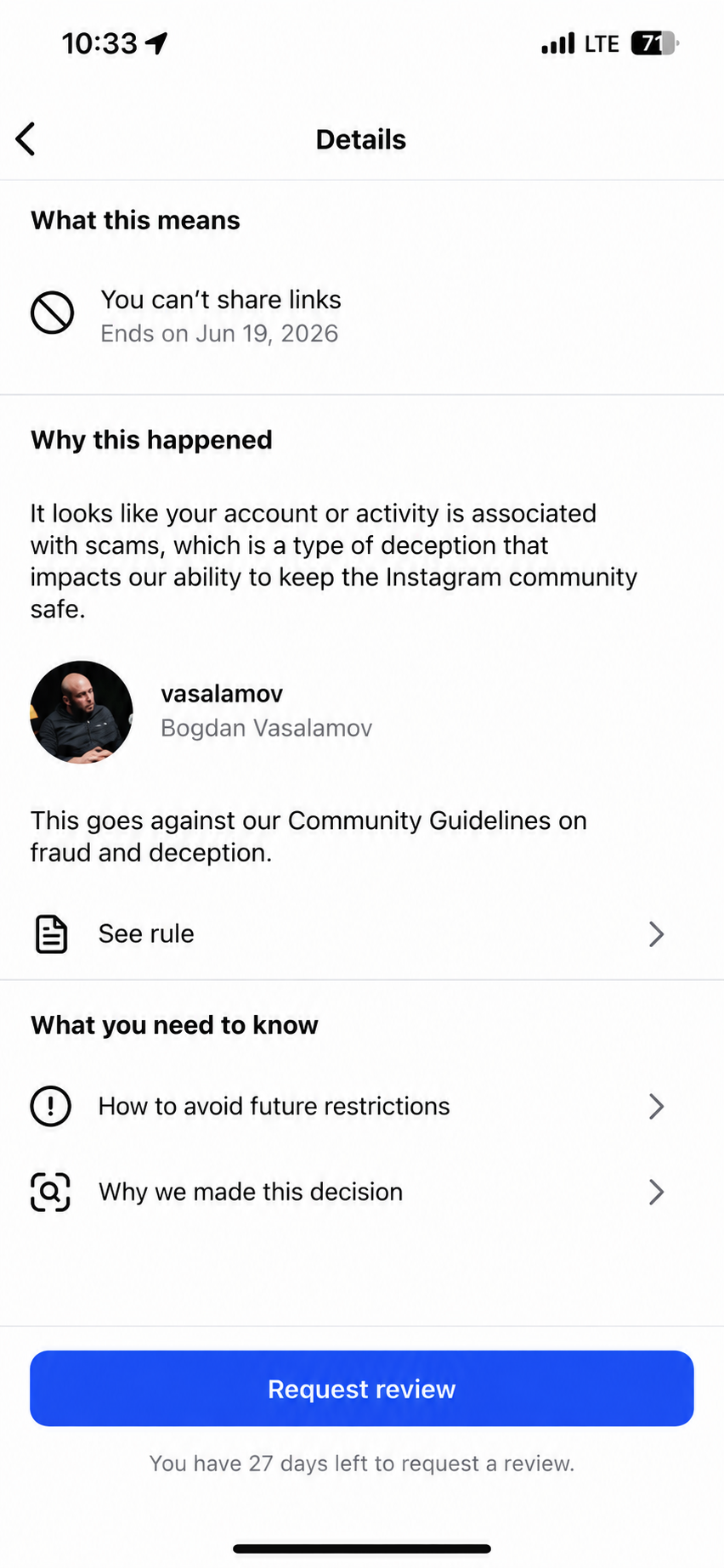
Despite the reference to fraud or deception, this warning does not necessarily mean that the entire Instagram account has been suspended.
In this particular case, Instagram restricted specific account actions and gave the owner an option to complete a review.
Why Can Instagram Restrict an Account Because of External Links?
Based on our observations, the risk of this restriction appears to increase when an account frequently uses direct external links.
For example:
- a direct Telegram or other messenger link is placed in the Instagram bio;
- the same external link is repeatedly sent to different users through Direct Messages;
- links are sent to many people within a short period of time;
- the account's activity begins to resemble automated or mass messaging.
However, the problem is not necessarily caused by the domain itself.
Instagram may consider a combination of signals, including how frequently links are sent, account activity, user reports, message content, and the reputation of the destination.
This means that the same link may work normally on one account while triggering additional verification or restrictions on another.
What to Do If Instagram Restricts Messages, Comments, or Links
If Instagram provides a “Request Review” button, the first thing you should do is use the built-in review process.
In our case, after tapping this button, Instagram asked the account owner to verify their identity.
First, Instagram sent a 6-digit verification code by SMS to the phone number connected to the account.
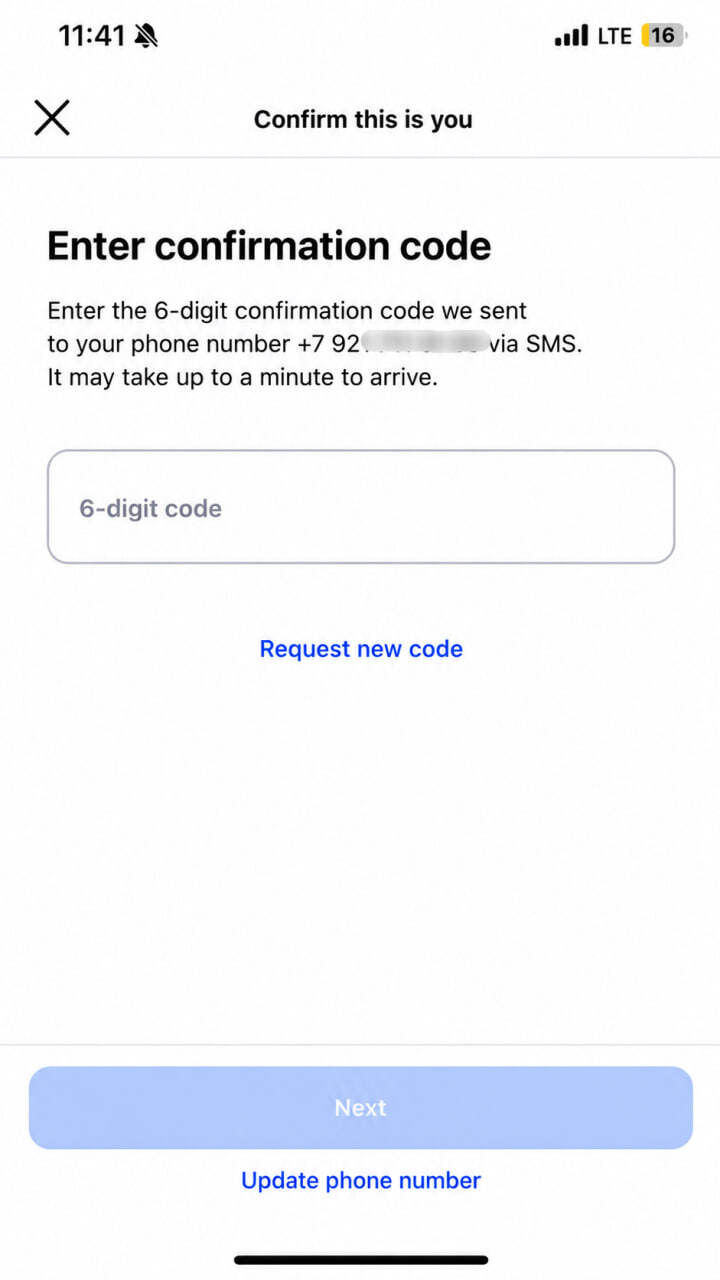
Depending on the account, Instagram may also request verification through the email address associated with the profile.
After the required verification steps were completed successfully, Instagram removed the restriction.
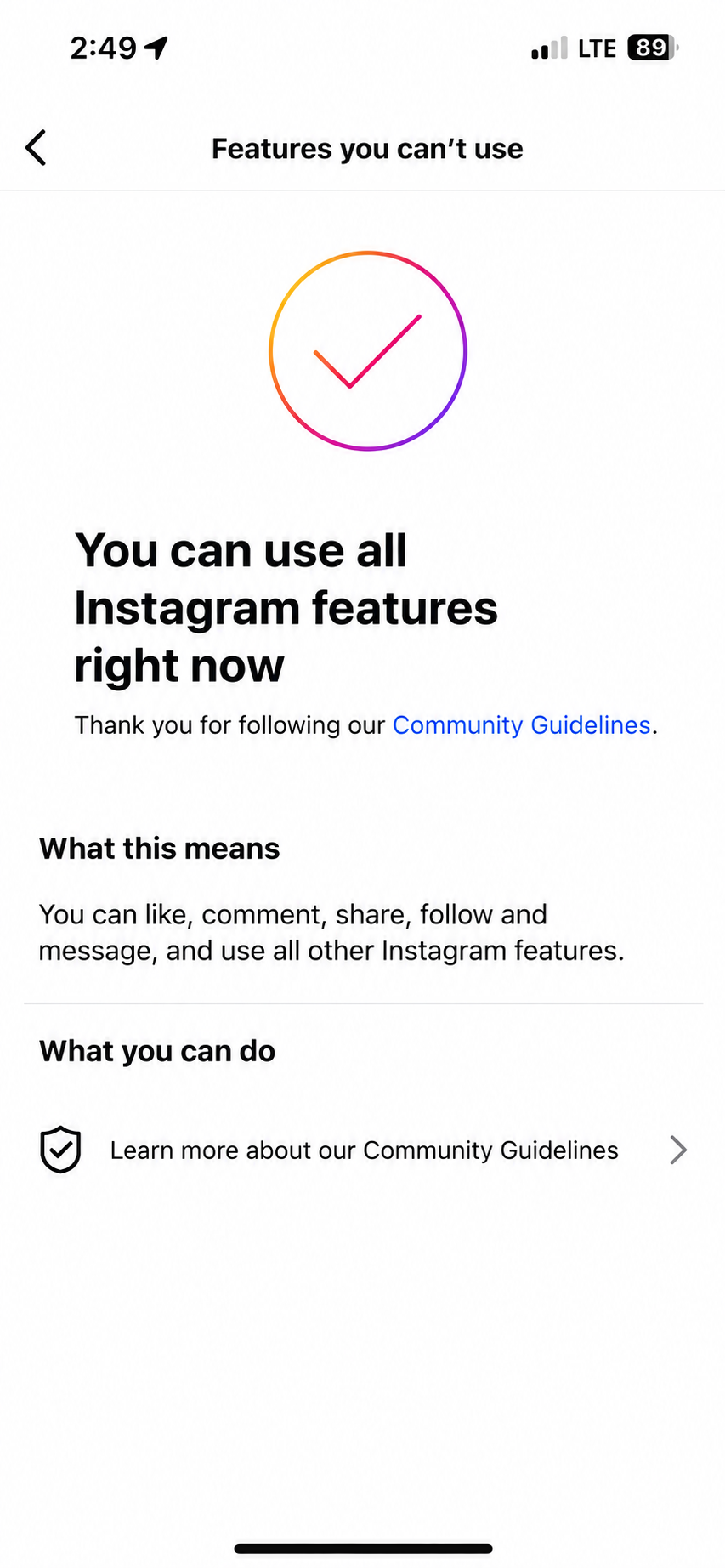
The account could once again use the previously restricted features.
Keep in mind that the verification procedure may be different for different accounts. Instagram may request phone verification, email verification, or another security check.
Why Can the Restriction Come Back?
Removing the restriction does not necessarily remove the reason why Instagram's automated systems initially flagged the account.
If you continue repeatedly sending the same external link through Direct Messages after successfully completing the review, the restriction may appear again.
For this reason, after Instagram restores the account features, it is worth changing how external links are distributed and avoiding large numbers of identical messages.
Can You Use Taplink Instead of a Direct Link?
If you need to place several contacts or resources in your Instagram profile, a link-in-bio page such as Taplink can be more convenient than placing several direct links.
For example, one page can contain links to:
- Telegram;
- your website;
- contact information;
- other social networks or resources.
You can then place one main link in your Instagram profile.
However, using Taplink does not guarantee that Instagram will never apply restrictions.
If the same link is repeatedly sent through Direct Messages or the account's behavior resembles spam, Instagram may still restrict certain actions.
The important factor is therefore not only which link you use, but also how you distribute it.
What Should You Do After Instagram Removes the Restriction?
After successfully completing the review, we recommend removing or replacing the external links that appeared shortly before the restriction started.
Avoid sending the same link to many users in a short period of time, and use Direct Messages normally for a while without repetitive mass messaging.
If the restriction appeared specifically after adding a direct Telegram or another external link to your Instagram profile, you can consider replacing it with a single link-in-bio page containing your different contacts.
Conclusion
An Instagram restriction mentioning fraud, scams, or deceptive practices does not always mean that your entire account has been suspended.
If the “Request Review” option is available, Instagram may ask you to verify account ownership using your phone number, email address, or another security method.
After successful verification, restricted features may become available again.
However, if you continue the same activity with external links, the restriction may return.
For this reason, after recovering access, it is important to reconsider how you place and send external links on Instagram.
Need Help With an Instagram Restriction or Suspension?
If your Instagram account has been suspended and you cannot complete the identity verification process, the specialists at Unban.net can review your situation and help determine what recovery options may be available.
📩 Telegram: @IGfix
📢 Telegram-канал: @instagram_razblokirovka